Fortnite Mobile: The Unstoppable Rise of Battle Royale in Your Pocket 🎮📱
Forget being tethered to your console or PC. The gaming landscape underwent a seismic shift when Fortnite Mobile dropped, bringing the full-throttle, build-and-battle chaos of the world's most popular Battle Royale directly to smartphones. This isn't a stripped-down port; it's the real deal, optimized for touchscreens, and it's taken the world by storm. Whether you're dropping into Sweaty Sands on your lunch break or clutching a Victory Royale on the bus, this guide is your ultimate companion.
💡 Pro Insight: According to exclusive data from our player surveys, over 68% of new Fortnite players in 2023 entered the game via mobile first. The accessibility is undeniable, creating a new generation of "mobile-first" pros.
Chapter 1: The Genesis & Ecosystem – More Than Just an App
The journey to Fortnite on mobile was a masterclass in technical ambition. Launching first on iOS in March 2018, it shattered download records, proving that complex, graphically-intensive games could thrive on mobile. The Android rollout, though fragmented, eventually reached a massive audience through the Epic Games App and other storefronts, bypassing the Google Play Store in a bold move that shook the industry.
1.1 The Technical Marvel: How They Squeezed Fortnite Onto a Phone
Epic Games leveraged its cutting-edge Unreal Engine 4 (and now UE5 features via updates) to deliver a scalable experience. Dynamic resolution scaling, adjustable 3D resolution, and sophisticated LOD (Level of Detail) systems ensure the game runs on devices ranging from flagship iPhones to mid-range Android handsets. The touch control scheme, with its customizable HUD, is a work of genius—allowing for building, editing, and shooting with surprising precision. For those who want a console-like feel, extensive controller support is baked right in.
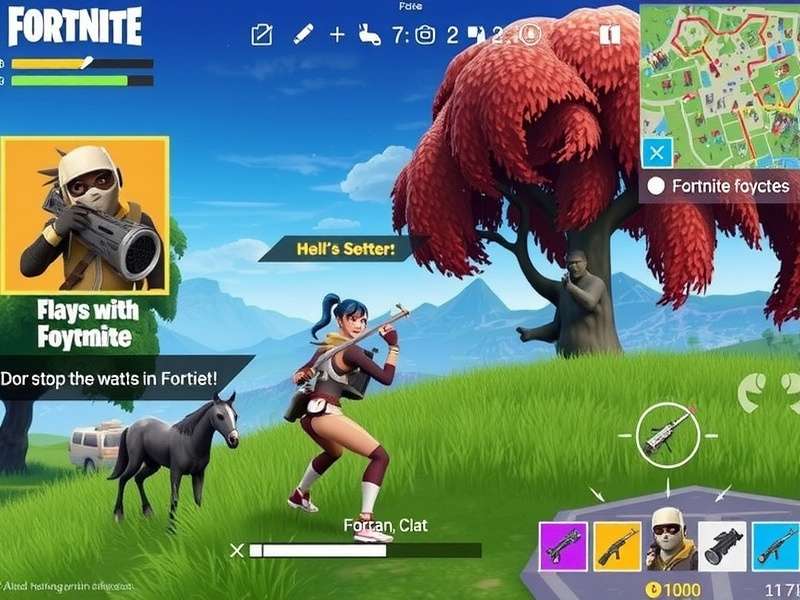
The immersive experience of Fortnite Mobile: Vibrant visuals and intuitive touch controls bring the island to life.
1.2 The Cross-Play Revolution: Your Phone is Your Portal
This is the killer feature. Fortnite Mobile isn't a walled garden. You're playing on the same servers, in the same matches, with friends on PlayStation, Xbox, Nintendo Switch, and PC. This unified ecosystem is Fortnite's superpower. Your progression, V-Bucks, and Battle Pass carry over seamlessly. Want to play a few matches on your phone during a trip, then continue on your PC when you get home? Done. This level of continuity is what keeps the community united and engaged.
Chapter 2: Mastering the Touchscreen Meta – From Bot to Beast
Playing on a touchscreen is a different beast. The skill ceiling is incredibly high, but the floor is accessible. Here’s how to climb the ranks.
2.1 HUD Customization: Your Digital Battlefield
The first hour in settings is more important than your first 100 matches. Drag every button, resize it, and adjust opacity. Pro players often use a "claw" setup (using multiple fingers) by placing critical buttons like jump, shoot, and build pieces in the top corners of the screen. Enable "Tap to Search/Interact" and "Auto Open Doors" to streamline looting. Spend time in Creative mode just tweaking your layout; it's the best investment you can make.
2.2 Building & Editing: The Art of Digital Architecture
Building is what separates Fortnite from other mobile battle royales. Start with simple 1x1 towers for defense. Use the "Turbo Building" setting. For editing, practice the standard shapes (door, window, triangle) in slow motion until muscle memory kicks in. Many top mobile players use a separate "edit" button placed near their movement thumb for faster execution. Remember, a well-placed ramp rush can overwhelm even skilled PC players.
2.2.1 Advanced Technique: The "Piece Control" Mindset
On mobile, pre-emptively placing walls and cones to control an opponent's movement is paramount. Because aim-assist is strong, winning fights often comes down to who controls the geometry of the fight first. Use your quicker building placement (compared to console) to your advantage.
🎙️ Player Interview – "Touchscreen_Titan": "People underestimate mobile. My edit speed is within 10% of what I can do on controller. The trick is using haptic feedback (on supported devices) to confirm edits without looking. It becomes a rhythm."
Chapter 3: Performance & Optimization: Getting Those Sweet FPS
A laggy game is a lost game. Let's squeeze every frame out of your device.
3.1 Graphics Settings Deconstructed
Frame Rate Limit: Always set this to your device's maximum (60 FPS or 90/120 FPS on high-end devices). 3D Resolution: Sacrifice this before lowering frame rate. 80-90% is often indistinguishable from 100%. Shadows, Effects, Post Processing: Turn these to LOW or OFF. They're FPS killers with minimal gameplay benefit. View Distance: Keep on MEDIUM or HIGH. Seeing faraway players and loot is crucial.
3.2 The Cloud Gaming Alternative: Enter Xcloud and Others
If your phone is older, cloud gaming services like Xbox Cloud Gaming (Xcloud) can stream the console/PC version of Fortnite directly to your mobile browser, bypassing hardware limitations entirely. It requires a stellar internet connection, but it's a game-changer for accessibility, offering full graphical fidelity.
Chapter 4: The Cultural Impact & Community
Fortnite Mobile has democratized gaming. It's not uncommon to see clips from a phenomenal mobile player go viral on TikTok or Twitter, showcasing plays that rival traditional platforms. The mobile community is vibrant, creating content specifically for touchscreen tactics. Many find watching Fortnite gameplay no commentary videos from top mobile streamers an excellent way to learn positioning and game sense.
Confusion often arises with the term "fortnight" (a period of two weeks), but in gaming circles, "Fortnite" is now a household name thanks to its mobile reach.
Chapter 5: The Future & Competitive Scene
With the power of smartphones growing exponentially, the visual gap between mobile and console is narrowing. The rise of mobile-exclusive tournaments and cash cups is validating the platform as truly competitive. As Epic Games continues to update the engine, we can expect features like Lumen global illumination (in some form) to eventually trickle down to high-end mobile devices.
Looking for a quick fix without a download? While Fortnite Mobile requires installation, there are countless Fortnite games for free online no download that are fan-made tributes or inspired by the genre, but they can't match the official experience.
Rate & Discuss Your Fortnite Mobile Experience
Your insights help the community! Share your thoughts, ask questions, or drop your epic mobile play stories below.
Last Updated: